


Wish I could help but I still haven't figured out how to use my scanner either.
Every thing is way too big so I don't even save them.


 I'm just your imagination
Wish I could help but I still haven't figured out how to use my scanner either.
Every thing is way too big so I don't even save them.
No matter what anyone does, someone some where will be offended some how!!!!
~~~~~~~~~~~~~~~~~~~~~~~~~~~~~~~~
MY BLESSINGS:
~~~~~~~~~~~~~~~~~~~~~~~~~~~~~~~~
Grandma (RB), Chester, Angel, Chip
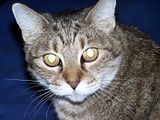

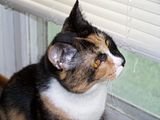
Leonardo (RB), Luke (RB), Winnie, Chuck,
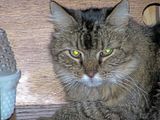


Frankie
~~~~~~~~~~~~~~~~~~~~~~~~~~~~~~~~~~~~~
WHERE YOU ARE IS WHERE YOU ARE SUPPOSED TO BE!!!
~~~~~~~~~~~~~~~~~~~~~~~~~~~~~~~~~~~~~
 Mayor
Mayor
Saving it as either a jpg or a pdf should not affect the quality. There may be other settings involved that do so. jpg is the format most often used for pictures that are going to be seen online. There are compression setting involved with a jpg file, so make sure you use as little compression as possible - that affects quality.
That document you attached shows that the scanner software is set to scan grayscale, not color. Change that, and your colors should reappear fine!
I've Been Frosted
 Registered User
Thanks you Moff and Karen!I tried earlier what you suggested, Karen - still didn't get color. It probably is some other setting- I'll try again tomorrow when I'm less sleepy.
Last edited by Randi; 08-25-2008 at 03:08 PM.

"I don't know which weapons will be used in the third World war, but in the fourth, it will be sticks and stones" --- Albert Einstein.
 Registered User
I have an Epson scanner too. I see you have it in Professional Mode. You might want to try Home Mode. It's simpler. At some point it asks you how you want to save it and you can choose JPG. I've never had any problem and I've scanned alot of pictures. Good luck!
Claudia
 Registered User
Unless you are going to put these pics online, i would recommend saving them as a .png file. PNG preserves the quality of the image.
 RVT
RVT
.PNG preserves the quality of the image but the file size is much, much larger than a .JPG. For internet sharing I recommend saving to your hard drive perhaps as a .PNG but convert it to a .JPG before uploading it to the net. Those on slower connections will thank you, plus there really isn't a HUGE difference in quality to be honest.Originally Posted by Reggie

Scanned photos regardless are always going to be a little lower quality anyway unless you have a very nice scanner, and even then you can have smudge marks, blurriness, etc.
 Posting Permissions
Copyright © 2001-2013 Pet of the Day.com


 Reply With Quote
Bookmarks