


I just had to share this photo! Makes me laugh every time I look at it! (As you can see, Jack and I were a little bored yesterday!)

 Registered User
I just had to share this photo! Makes me laugh every time I look at it! (As you can see, Jack and I were a little bored yesterday!)
 Registered User

Is his hiney on the step? That is tooo Cute.

Join Sweet Pea at The Bunny Forum
Come join me and FizzGigg at The Bichon Lovers Clubhouse
Thank You Anita & Kay for the wonderful Siggys
The people want peace...
Ohhhh - cute picture!
Gave me and Idea to do it with Nala and our little 'Welcome Labbie'.... you don't mind, do you?
~Kay, Athena, Ace, Kiara, Mufasa, & Alice!
"So baby take a axe to your makeup kit
Set ablaze the billboards and their advertisements
Love with all your hearts and never forget
How good it feels to be alive
And strive for your desire"
-rx bandits
 areSylviaHarleyMortyJimmy

HA HA HA! I love it! Too cute
Billy and Willy! (2 of my 4)
 Miss you Dale...
Very cute!! I love it!!!!!
Registered User
Kfamr - just a hint if you do it with your Lab...If you notice in the picture, behind the stick in Jack's mouth is a Jumbone -- I couldn't get him to hold the stick in his mouth without a treat! And make sure to post the picture afterwards! That would be great!
PS: How do I get those cool signatures everyone has of all their animals? I have a photo, but can't figure out how to attach it. Any help?
The people want peace...
If you'd like I could make you a nice one like everyone else's.
Then i'll tell you how to put it in.
If not, i just tell you how to put a normal picture in it.
~Kay, Athena, Ace, Kiara, Mufasa, & Alice!
"So baby take a axe to your makeup kit
Set ablaze the billboards and their advertisements
Love with all your hearts and never forget
How good it feels to be alive
And strive for your desire"
-rx bandits
Registered User
Well, I do have one all made that I did in Photoshop of all three of my "kids" and it's saved as a jpeg. I'm just not sure about all the coding and how to get it on my profile.
Thanks for your help!
Registered User
I should have attached this to the other one! This is the photo...
The people want peace...
We have a signature file size limit here, which it 25k -- So I resized the signature for you.
Hope you don't mind.
Copy the following;
[img]http://img59.photobucket.com/albums/v181/ptsignatures/jacksmom.jpg[/img***]
Go into your 'user cp'. It is located at the top, the second purple tab.
Once in your 'user cp' click on 'Edit Profile' - The second option.
Scroll down to the signature field, and next to where it says signature there should be a text area.
Paste the code into there.
When you've done that - delete the ***'s at the end. I only added those so the code would show up.
Scroll down and click 'submit modifactions'.
Your signature should be added to your posts now.
We're off to take our 'welcome sign' pictures now.

Thanks a bunches for the idea!
~Kay, Athena, Ace, Kiara, Mufasa, & Alice!
"So baby take a axe to your makeup kit
Set ablaze the billboards and their advertisements
Love with all your hearts and never forget
How good it feels to be alive
And strive for your desire"
-rx bandits
 We miss you Angus
I totally love it
I just don't see me getting Angus to do that
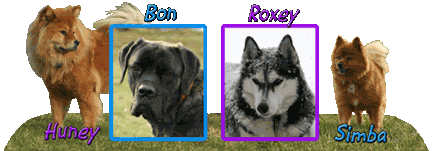
Huney, Bon & Simba-missed so very much
Remembering all the Rainbow Bridge Pets
 Robyn--Cat Lover, too!!!!
 <3
<3
LOL soooo cute!
- - Tiffany && Blueberry - -
 Posting Permissions
Copyright © 2001-2013 Pet of the Day.com

 Reply With Quote



Bookmarks