Results 1 to 15 of 1305

Thread: Please, Graphics people and others

Hybrid View

  1. #1
    RipplingWaves55-

    Here ya go

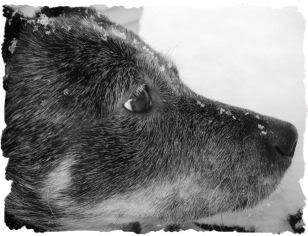
    Not sure if you're into pink, but I had a little trouble finding colors that matched very good with the pic, but I thought this looked alright. I can make an av too, tonight or tomorrow. I can always fix things!

    carole, I'm so sorry I haven't replied to your PM. I will do that tonight or tomorrow, also!

    *edit- erg!! The sig won't upload. I'll work on fixing it!

    "To err is human; to forgive, canine."
    -Anonymous

  2. #2
    Join Date
    Oct 2005
    Location
    Michigan
    Posts
    11,191
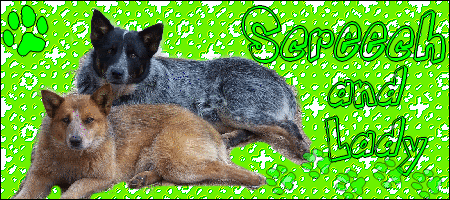
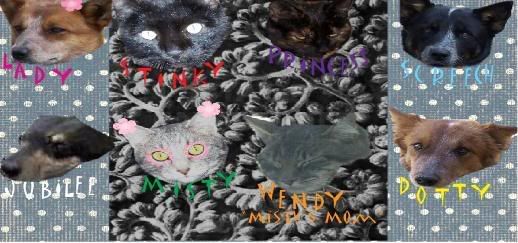
    Thank you, guys! I try, I'm not sure if you realized it Ripplingwaves you can make the thumbnail bigger by clicking on it. The first one I posted is only a thumbnail, the second is just a blinkie lol.

    I can't see your sig, mustlovedogs. I'm sure it looks great

    Here you go, bigger version:

  3. #3
    Yay, it worked! (I hope anyways, lol.)

    I'll make an av for you too, right now.

    carole, I'll PM you back very very soon!! (sorry for the wait!)

    OK, here's the av-


    I know it's kind of small, lol. I'm still trying to figure out the av thing :P But you don't have to use this sig or av, as Alysser made you very cute graphics!!!
    Attached Images Attached Images  

    "To err is human; to forgive, canine."
    -Anonymous

  4. #4
    Join Date
    Oct 2008
    Location
    Arizona, USA
    Posts
    292
    I'm an idiot. Just an IDIOT. How do I post a picture into my sig? It won't show up for me..


  5. #5
    You're not an idiot! I have problems with my sigs sometimes too.

    In your profile, go to edit signature. In your photobucket account, copy and paste the image code into your signature from the picture. The code should start with something like [IMG]. I don't remember exactly how it goes, lol. I hope it works!

    "To err is human; to forgive, canine."
    -Anonymous

  6. #6
    Join Date
    Oct 2008
    Location
    Arizona, USA
    Posts
    292
    Hmm,still doesn't work.

  7. #7
    Join Date
    Apr 2005
    Location
    Michigan
    Posts
    7,307
    You right click on the picture you want to use. Then put the image tags around it.

    So it'll look like this

    [IMG]properties[/IMG]

    here's it with the signature alyssa made you

    [IMG]http: //img.photobucket.com/albums/v708/bobbernut/Siggies/Screechladysig.gif[/IMG] (just remove the space after http: )

    Or you should save the picture first to your account (photobucket??), then you can right click, get the properties, copy and paste them between the img tags.

    Ashley & Crossbone ("mini ACD")
    Living with my parent's: Jack (Lab/Beagle), Micki & Mini (JRTS)
    RIP Kyra: 07/11/04 - 11/3/12; Shadow: 4/2/96 - 3/17/08

Similar Threads

  1. Graphics, Anyone?
    By Kfamr in forum General
    Replies: 36
    Last Post: 08-01-2005, 10:56 PM
  2. Graphics, anyone?
    By Kfamr in forum General
    Replies: 34
    Last Post: 01-12-2005, 10:39 AM
  3. Dog Graphics
    By *LabLoverKEB* in forum Dog General
    Replies: 1
    Last Post: 07-13-2002, 05:59 PM
  4. Graphics
    By Paul in forum General
    Replies: 28
    Last Post: 07-13-2002, 05:41 PM

Bookmarks

Posting Permissions

  • You may not post new threads
  • You may not post replies
  • You may not post attachments
  • You may not edit your posts
  •  

Copyright © 2001-2013 Pet of the Day.com