


I'm one of the only ones here with no picture of my kitty! Is there somewhere I can find directions on how to post pics or put one in my signature line?

 Registered User
I'm one of the only ones here with no picture of my kitty! Is there somewhere I can find directions on how to post pics or put one in my signature line?
Life is not measured by the number of breaths we take but rather by the moments that take our breath away.
Thank You, Michelle!!!
 Registered User
See Phreds instructions here.. Imagestation has close down now so you have to use another storage.. #1 thing.... Pictures HAVE to be stored online!
http://67.15.70.205/talk/showthread....&threadid=7406
Special Needs Pets just leave bigger imprints ♥ on your heart!
 Registered User

The easiest way to start with is to post pictures as attachments..there are instructions for doing that when you post, below the message box.
Also, you can get an account with Photobucket or Snapfish. These are free photo programs that resize and store your photos so they are a good size to post here.
"Do or do not. There is no try." -- Yoda
 5 Cats 4 Bichons Frisé
First, open a FREE account on photobucket.
Next, set up subalbum, as this will save you from a mess in the future. I use the date I am posting the photos here, plus a tag (Nov 17 dogs in coats, Jan 11 cats asleep)
Use the upload feature to get your photos from your computer (probably in the My Pictures folder) and into the subalbum in Photobucket.
I prefer to open a second tab (or another Window, depends which version of Windows you have) for Pet Talk. Start your thread, and type. When you get to where you want the photo go back to the Photobucket account.
Find the photo you want. It will have several lines of code beneath it. Click on the bottom line of code. You will see a yellow pop up which reads COPIED
Back to the thread you have started in Pet Talk, and paste the code.
Type some more. Put in more pics. And post!
.
Registered User
Thanks! I will have to set up an online photo storage acct. and I have never done that before so hopefully it's easy to figure out.
Life is not measured by the number of breaths we take but rather by the moments that take our breath away.
Thank You, Michelle!!!
Registered User
I see you are from the frozen country! Here is a funny story.. I know a southern lady and she married a guy from there when he came south. He wanted to move back home right after they got married so off they went. Soon as winter set in, she got on a plane, came back to the south and divorced him! She couldn't take the cold... -15 is to cold for humans!!! How do you stand it! (I am from the south too)
Special Needs Pets just leave bigger imprints ♥ on your heart!
 I'm just your imagination
The way I do it is put my pic on Photobucket. Then click on square underneath it and go to the bottom of the page and click on the "generate html code bar.
That brings up a page where I highlight the "thumbnails" or " pictures" for message boards. Then copy it. (sometimes it copies it when it's highlighted but not always).
Once it's copied to my clipboard, then I come to PT and start my thread. That way I don't have to flip back and forth between here and Photobucket.
I know very little about computers so if I can do it, I'm sure you can!!!
Good luck!!!
No matter what anyone does, someone some where will be offended some how!!!!
~~~~~~~~~~~~~~~~~~~~~~~~~~~~~~~~
MY BLESSINGS:
~~~~~~~~~~~~~~~~~~~~~~~~~~~~~~~~
Grandma (RB), Chester, Angel, Chip

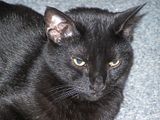
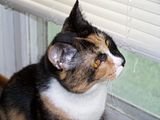
Leonardo (RB), Luke (RB), Winnie, Chuck,
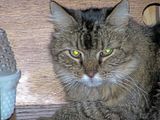


Frankie
~~~~~~~~~~~~~~~~~~~~~~~~~~~~~~~~~~~~~
WHERE YOU ARE IS WHERE YOU ARE SUPPOSED TO BE!!!
~~~~~~~~~~~~~~~~~~~~~~~~~~~~~~~~~~~~~
Registered User
I would have done the same thing as her if I wasn't used to living in the frozen tundra!Originally Posted by Laura's Babies
I HATE the cold BUT I do love the spring, summer, and fall in WI. Also, as far as being in a location that has severe weather/storms, I'd rather be in an area where our worst issues are blizzards and snow storms. At least if you drive off the road because of how slippery it is, you'll likely just end up in a big, fluffy snow bank!
The one thing that makes me VASTLY different from most Wisconsinites though.....I will turn down tickets to a Packers game (even if it IS for the NFC Championship!) if it's not going to be above 10 degrees!I'd much rather enjoy it from the comfiness of my own couch with a warm blanket and the fireplace going!
Life is not measured by the number of breaths we take but rather by the moments that take our breath away.
Thank You, Michelle!!!
 Registered User
I'm not all that good at making signature pictures but if you'd like one of your kitty you should contact someone here and I'm sure that they'd be happy to help you. You just need to provide a picture and let them know what colors etc. that you want. Good luck.
 Friend To All Starry Cats
I AM GLAD THAT THERE ARE PET TALKER WHO CAN EXPLAIN THE PROCESS TO YOU AS I AM NOT ARTICULATE ENOUGH. JEN HAD TO EXPLAIN TO ME OVER THE PHONE TWICE BEFORE I UNDERSTOOD HER!!
GOOD LUCK AND WE HOPE TO SEE YOUR FURRPALS SOON!!!!
THE RAINBOW BRIDGE FOUND HOTEL ANGELS HAVE A NEW FRIEND IN CORINNA.
ALMOND ROCCA BATON AND ELLIE ANGELS ARE GUARDIANS TO ETERNAL KITTENS ROCC-EL AND T TEEN ANGEL, ALMOND ROCA , VLAD , PAWLEE , SPRITE. LITTLE HEX, OSIRIS AND ANNIE ANGELS.
EBONY BEAU TUBSTER AND PEACHES BW SPIKE & SMOKEY
NOW PRECIOUS AND SAM ARE TOGETHER WITH ETERNAL KITTENS SAMMY ,PRESLEY, SYLVESTER AND SCRATCHY JR , MIGHTY MARINA, COSMIC CARMEN, SAMSON ,UNDER KITTY AND SUNKIST AUTUMN & PUMPKIN.
MIA AND ORANGE BLOSSOM ANGELS HAVE ADOPTED TUXIE , TROOPER , SONGBIRD AND LITTLE BITTY KITTIES MIA-MI BLOSSOMER, TUXEDO AND DASH AS THIER ETERNAL KITTENS.
PRINCESS JOSEPH AND MICHAEL ARE CELEBRATING 19 YEARS AS LUCKY FOUND CATS
 Posting Permissions
Copyright © 2001-2013 Pet of the Day.com

 Reply With Quote





Bookmarks