


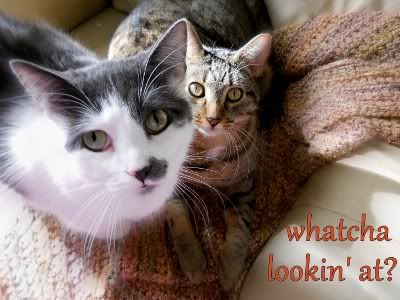
I love mine. I want to put it on my email as part of my signature. I tried to do it, but uh well uh it didnt work.. Anyone have any idea how to add this?


 Banned
I love mine. I want to put it on my email as part of my signature. I tried to do it, but uh well uh it didnt work.. Anyone have any idea how to add this?
 1 paw short of a HERD


I think it really depends on the email you are using as to how to make it part of your outgoing emails.
Banned
I use outlook express- any ideas?
 Tomorrow's mighty oak
I think it mostly depends on what opther people have. Everytime someone has a photo signature on the bottom of their emails, it pops up as an attachment in all of my emails. I hate it because I see attachements are included in their email and I click it just to find out its a photo siggy.... then when I stop clicking attachments from them because its only a siggy, I miss an important thing.
Banned
Yea I see your point. My husband said that if I add this, it will make my emails load slower, and that might make some people mad. ( had not thought of that one.. ) Maybe I will just hold off but thank you!
1 paw short of a HERD
I don't use outlook express but my hubby does. When he gets his butt out of bed I will ask him and see if he knows. I will let you know.
Banned
Thank you. I do not think it would take any longer to load, but I would like to put it on there. Its so pretty and its all 4. ON the 16th, the gang goes to Santa paws to get a group photo- first one of all 4 as "adults"..Originally Posted by kittycats_delight
1 paw short of a HERD
OK got hubby to go through the steps with me. There are quite a few.
First open outlook express. Click tools-options-security-optain digital ID. Browser will open then follow instructions. You will then receive an email giving certification to your digital ID. After you receive certification then do these steps. Tools-options-signature-new-file-browse(find your signature pic)-apply. And then once more go into tools-security and then select the bottom near the bottom that says add signature to all outgoing messages-than apply.
I think that is all. Good Luck
Banned
God Bless you, and printed those instructions out. Thank you so much for your time! Let me see how this looks.. Thank you again!
1 paw short of a HERD
No problem.
 Posting Permissions
Copyright © 2001-2013 Pet of the Day.com

 Reply With Quote
Bookmarks