


It's huge and I don't want the quality lowered too low..
please and thanks in advance!


 Registered User
It's huge and I don't want the quality lowered too low..
please and thanks in advance!
Krista- owned by Rudy, Dixie, Miagi & Angel
Rocky, Jenny, Ginger Buster & Tiger .. forever loved & always in my heart..
The people want peace...
Is this okay?
(I took the white background out, not sure if that's what the maker was doing?)
~Kay, Athena, Ace, Kiara, Mufasa, & Alice!
"So baby take a axe to your makeup kit
Set ablaze the billboards and their advertisements
Love with all your hearts and never forget
How good it feels to be alive
And strive for your desire"
-rx bandits
Registered User
yeah, they made it huge and I didn't want it to off-set the page. Thanks so much, Kay!
Gingers Dad Too!!

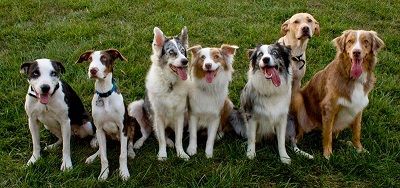
It's not really that big... just 700 pixels wide, but I did change your res to 300 vs 72 dpi and compressed it to make a smaller actual file (in MB). I also lightened Buster and black dog (color corrected) so they dont look so muddled. Hope this works for you.
Dan
Registered User
yes, I know thanks.
Krista- owned by Rudy, Dixie, Miagi & Angel
Rocky, Jenny, Ginger Buster & Tiger .. forever loved & always in my heart..
Registered User
can someone please resize this avatar for me, too so I can put it as an avatar here?
 and the furry zoo

Here ya go!
♥Bri [HUMAN]♥
♥Lily [POMERANIAN], Brennan [APBT], Bailey [APBT/HOUND MIX]♥
♥Tallulah[CALICO], Domino [TUXIE]♥
♥Peach [RAT], Pepper [RAT], Phoebe [RAT], and PipSqueak [RAT]
♥Salvatore [BETTA]♥
“Dream what you want to dream; go where you want to go; be what you want to be,
because you have only one life and one chance to do all the things you want to do.”
In Loving Memory <3
Roxy Lily Brennan
Facebook TigerLily Photography
Registered User
thanks!
 RVT
RVT
If you ever need a program that resizes images, for free, look at Irfanview
Registered User
thanks, I have that but I don't know how to use it.I do have jasc paint shop pro 9 but when I resize sigs/avatars it reduces the quality.

RVT
After you resize with Paint Shop Pro, go to
effects > sharpen > sharpen
and sharpen it once or twice. DON'T use "sharpen more" because that usually OVER sharpens it. Well I mean use it if you'd like.
Also MAKE SURE when you are saving as a .jpg click the "options" button on the "save as" screen and make sure the compression rate is a low number, 10 or less.
Registered User
ok, I did that, thanks!
RVT
When you go to file > save asOriginally Posted by luvofallhorses
And select .jpg from the dropdown menu of file types
There is a button to the right that says "options...". If you click it, a window will pop up where you can change the compression rate
 Mayor
Mayor
Here it is at 24K!
(It's easy to do in Photoshop, which is what I use, but it is an expensive program, so I don't expect everyone to have it!)
Registered User
thanks, Karen!
Krista- owned by Rudy, Dixie, Miagi & Angel
Rocky, Jenny, Ginger Buster & Tiger .. forever loved & always in my heart..
 Posting Permissions
Copyright © 2001-2013 Pet of the Day.com


 Reply With Quote


Bookmarks