


Congratulations on getting good grades
If you have any extra time I need a new siggy.
My pics are here


 We miss you Angus
Congratulations on getting good grades
If you have any extra time I need a new siggy.
My pics are here
Last edited by anna_66; 01-12-2006 at 05:35 PM.
Huney, Bon & Simba-missed so very much
Remembering all the Rainbow Bridge Pets
 Love My Little Sam Girl!
Congrats!
I've had photoshop for awhile now and still can't figure it out. I've used it to resize pictures but that is it.
If you don't mind I would love have a new siggy.
 and Lola too!
That's great!! I love psp 10, I'm sure that you will make awesome sigs with it!
If you need help... I can always be your psp teacher...
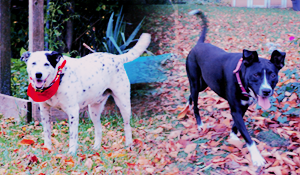
Lola, the mutt, 2 years old
Anita, the dachshund, 7 years old
 I'm not a spazmo, Vyvyan!

If you want to make me a new av you can, just search exact username and subject only for "pics" beacuse I always put that in the title if there are pics in the thread. You are lucky, my parents say the good grades are reward enough and refuse to get me anything.
Niño & Eliza
 Registered User
If you get time can you make me an avatar valentine's day related?
Krista- owned by Rudy, Dixie, Miagi & Angel
Rocky, Jenny, Ginger Buster & Tiger .. forever loved & always in my heart..
 Registered User
should of said something i have psp 10 and it does not cost ya nothing and its the full verison
 Full Time Husky Lover
can i get the psp10?? from you Goldenluv??
Corinna´s Christmas Card Swap ´06
dedicated to a lovely woman who won many hearts along her life...........
she will be deeply missed.......Thank you for letting us be a part of your life, you will surely remain in ours FOREVER........R.I.P. Dear Corinna
Best Fireman in da House´10
dedicated to the kindest,loveliest and always helpful dude that one would be honored and proud to know........R.I.P. Dear Phred
notes-to-my-husband blog
http://365project.org/isabelle/365
 and the furry zoo

K! I will get started on all these requests. I have to install it, then I'm gonna get to work!
EDIT: Anybody know where to find the serial number?
♥Bri [HUMAN]♥
♥Lily [POMERANIAN], Brennan [APBT], Bailey [APBT/HOUND MIX]♥
♥Tallulah[CALICO], Domino [TUXIE]♥
♥Peach [RAT], Pepper [RAT], Phoebe [RAT], and PipSqueak [RAT]
♥Salvatore [BETTA]♥
“Dream what you want to dream; go where you want to go; be what you want to be,
because you have only one life and one chance to do all the things you want to do.”
In Loving Memory <3
Roxy Lily Brennan
Facebook TigerLily Photography
 Registered User
Good luck with it...hope its not too difficult to figure out.
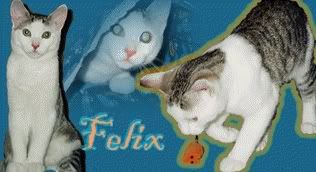
Felix's Catster Page- http://www.catster.com/?150963
Felix's Website Page- http://www.felinefelix.piczo.com
Beer's Dogster Page- http://www.dogster.com/?168340
and the furry zoo
Yeah, me, too. I emailed Corel, but they are going to take FOREVER to reply, and it wont accept any of the codes I have tried....I just dont know what to do, I'm so frustrated, and you cant call them unless you pay for it!Originally Posted by Felix
♥Bri [HUMAN]♥
♥Lily [POMERANIAN], Brennan [APBT], Bailey [APBT/HOUND MIX]♥
♥Tallulah[CALICO], Domino [TUXIE]♥
♥Peach [RAT], Pepper [RAT], Phoebe [RAT], and PipSqueak [RAT]
♥Salvatore [BETTA]♥
“Dream what you want to dream; go where you want to go; be what you want to be,
because you have only one life and one chance to do all the things you want to do.”
In Loving Memory <3
Roxy Lily Brennan
Facebook TigerLily Photography
Registered User
That's a real bummer
Felix's Catster Page- http://www.catster.com/?150963
Felix's Website Page- http://www.felinefelix.piczo.com
Beer's Dogster Page- http://www.dogster.com/?168340
Full Time Husky Lover
the serial should be on the case, manual, or even on the CD, have you tried that?? maybe you need to go to a web to get it......perhaps
i found this it might help, since its from the corel site
If you have purchased your product in a box, you should find your serial number printed on a "Product Authenticity Card" inside the box. This card is about the size of a postcard.
If you do not have your Authenticity Card, but you have access to your software program, try opening a blank page in your program on your computer and then clicking on "Help" in the top menu bar, and then choosing "About". Your serial number may appear there.
Your serial number may also appear on a "splash screen" <-- a quick intro when the program is launching.
If you have purchased your product on-line, your serial number should appear as a link in your Smart Receipt. You would have received your Smart Receipt as an e-mail shortly after you placed your order on-line.
If your software came with your computer, your serial number should have been provided to you by the hardware manufacturer that provided you with your software.
If you cannot find your serial numbers by attempting any of the above methods, please contact Corel Customer Support Services and we will check our Database to see if the product was registered for you.
If it is not registered and you have proof of purchase, we could supply you with a replacement serial number.
To receive a replacement Serial Number, please see the Answer Document using this on-line tool called "How Do I Obtain a Replacement Serial Number?" (Answer ID: 753547). NOTE: You can search by an ID number by clicking on "Search By" and choosing "Answer ID" and then putting the ID number in the "Search Text" field before clicking on "Search".
Corinna´s Christmas Card Swap ´06
dedicated to a lovely woman who won many hearts along her life...........
she will be deeply missed.......Thank you for letting us be a part of your life, you will surely remain in ours FOREVER........R.I.P. Dear Corinna
Best Fireman in da House´10
dedicated to the kindest,loveliest and always helpful dude that one would be honored and proud to know........R.I.P. Dear Phred
notes-to-my-husband blog
http://365project.org/isabelle/365
and the furry zoo
Didnt have a case, just a plastic thing...with no numbers or letters on it. It had this number that looked like a serial number on the box, but the install thing wouldnt accept that. I tried the number on the CD, that wasnt it either. I tried EVERY thing on the box, wasnt that either..im gonna try maybe registering or something...
♥Bri [HUMAN]♥
♥Lily [POMERANIAN], Brennan [APBT], Bailey [APBT/HOUND MIX]♥
♥Tallulah[CALICO], Domino [TUXIE]♥
♥Peach [RAT], Pepper [RAT], Phoebe [RAT], and PipSqueak [RAT]
♥Salvatore [BETTA]♥
“Dream what you want to dream; go where you want to go; be what you want to be,
because you have only one life and one chance to do all the things you want to do.”
In Loving Memory <3
Roxy Lily Brennan
Facebook TigerLily Photography
Full Time Husky Lover
sorry i just edited my previous post, check taht out
Corinna´s Christmas Card Swap ´06
dedicated to a lovely woman who won many hearts along her life...........
she will be deeply missed.......Thank you for letting us be a part of your life, you will surely remain in ours FOREVER........R.I.P. Dear Corinna
Best Fireman in da House´10
dedicated to the kindest,loveliest and always helpful dude that one would be honored and proud to know........R.I.P. Dear Phred
notes-to-my-husband blog
http://365project.org/isabelle/365
and the furry zoo
Thanks Isabel! I dont see a card anywhere, maybe it fell out...im gonna go look for it! (If I dont find the serial number, then I will download the free trial for tonight
♥Bri [HUMAN]♥
♥Lily [POMERANIAN], Brennan [APBT], Bailey [APBT/HOUND MIX]♥
♥Tallulah[CALICO], Domino [TUXIE]♥
♥Peach [RAT], Pepper [RAT], Phoebe [RAT], and PipSqueak [RAT]
♥Salvatore [BETTA]♥
“Dream what you want to dream; go where you want to go; be what you want to be,
because you have only one life and one chance to do all the things you want to do.”
In Loving Memory <3
Roxy Lily Brennan
Facebook TigerLily Photography
 Posting Permissions
Copyright © 2001-2013 Pet of the Day.com



 Reply With Quote





Bookmarks